In today’s world, the way we consume content is rapidly changing. The traditional TV model is fading as more households seek a single service that delivers everything they desire. With the global IPTV market projected to reach $115.2 billion by 2026, it’s clear that many users are looking for reliable solutions.
Throughout my journey, I realized that not all IPTV players are created equal. I remember the frustration of my old player freezing during critical moments of live sports. After enduring years of buffering and poor performance, I discovered that the right player can significantly enhance the streaming experience.
It’s essential to understand that the player you choose is just as important as the content source. Many users often blame the service when, in fact, the issue lies with the player. In this guide, I will share how I evaluate and select IPTV apps based on real performance, ensuring a smooth and enjoyable viewing experience.
Key Takeaways
- Not all IPTV players offer the same quality; some provide vastly superior experiences.
- The right player can eliminate buffering and enhance live sports viewing.
- Choosing a reliable service is crucial for a seamless streaming experience.
- Organized interfaces can transform chaotic channel lists into easy-to-navigate options.
- Understanding the balance between player and service is key to stable streams.
Understanding IPTV Apps: What Makes an IPTV Player Essential?
As the landscape of television evolves, understanding the tools we use for streaming becomes crucial. An IPTV app serves as a bridge between users and their desired content. But what exactly is it, and how does it work?
What is an IPTV App and How Does It Work?
I define an IPTV app as a software application that reads and manages IPTV subscription links, especially in M3U and Xtream Codes formats. This app converts those links into watchable movies, TV shows, and live channels on compatible devices.
When I first started using IPTV, I didn’t realize that the player itself doesn’t provide any content. Instead, it acts as a smart media player that organizes and streams the movies, series, and live channels included in my existing IPTV subscription. This understanding was pivotal in shaping my streaming experience.
A quality IPTV player goes beyond basic playback. It offers features like catch-up TV for missed programs, allowing me to pause and resume content at any time. This level of control over my viewing experience has been invaluable.
Why the Right IPTV Player Matters More Than You Think
Through trial and error, I discovered that the player matters as much as the content source. A poorly optimized app will buffer, even on fast internet connections, wasting both my time and my subscription investment. Many users who complain about bad IPTV experiences are actually facing issues with a bad service running through a good player.
The right IPTV player can transform any screen into a live TV powerhouse. It provides a proper Electronic Program Guide (EPG) that turns a raw channel list into a genuine television experience, complete with schedules and program information.
It’s important to note that an IPTV player is completely legal software on its own. What determines legality is the source of the streams loaded into it. Therefore, connecting only to properly licensed services is crucial.
My experience taught me that quality IPTV apps support both M3U playlists and Xtream Codes API credentials. This flexibility allows users to choose from various IPTV subscription providers for their content needs.
Key Features I Look For in the Best IPTV Apps
Navigating the sea of streaming options requires a keen eye for essential features. Each player offers unique tools that can greatly enhance the viewing experience. Here are the key features I prioritize when evaluating IPTV players:
Ease of Use and Intuitive Interface
I prioritize an intuitive interface above almost everything else. After countless hours with clunky, outdated players, I need something that feels modern and user-friendly. An effective interface can save time and frustration, allowing me to focus on enjoying my content.
Support for Multiple Playlists and Providers
When evaluating any IPTV app, I immediately test how it handles multiple playlists and providers. I maintain two separate subscriptions—one for sports and another for international content. Keeping these organized is essential for a seamless experience.
Robust Search and Content Organization
Robust search and content organization capabilities are a must. My old player simply listed over 600 channels alphabetically, forcing me to scroll endlessly. A well-organized interface can categorize channels logically, making it easier to find what I want.
Playback Stability and Buffer Minimization
Playback stability and buffer minimization are non-negotiable for me as a live sports fan. Missing crucial moments during a match can be incredibly frustrating. A reliable player should ensure smooth playback, even during peak times.
Subtitle, Audio Track, and Parental Control Support
Comprehensive subtitle and audio track support are essential. My household speaks multiple languages, so having options for different audio tracks enhances our viewing experience. Additionally, parental controls that effectively lock inappropriate content behind a PIN are crucial for family viewing.
The best IPTV players I test must include proper Electronic Program Guide (EPG) integration. An EPG transforms a raw channel list into a structured experience, showing schedules and program information that make browsing feel like traditional cable.
Moreover, I check for hardware acceleration support, especially for devices like Firestick. This feature dramatically improves performance and reduces buffering, particularly on older devices.
My Top Picks: The Best IPTV Apps That Deliver Real Results
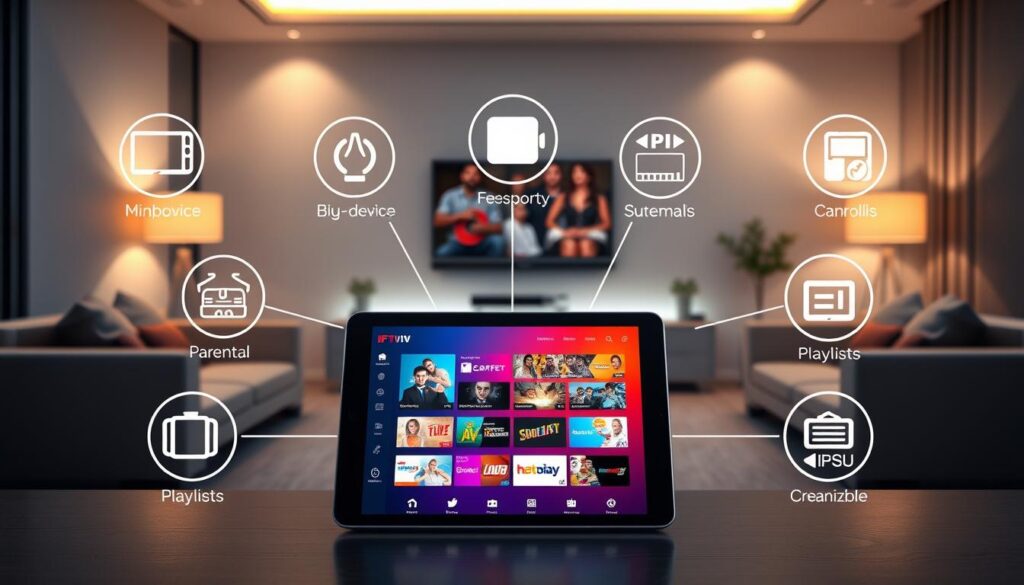
Selecting the right streaming application can significantly enhance your viewing experience. After extensive testing, I’ve compiled a list of my top choices that stand out in functionality and user satisfaction.
SmartStream Player: The Game-Changer in IPTV
SmartStream Player earned the top spot in my list because it single-handedly transformed my chaotic 600-plus channel playlist into an organized, Netflix-like browsing experience. Within minutes of installation, it sorted my content into proper categories for movies, series, and live TV.
I was genuinely impressed when SmartStream took my alphabet-soup playlist and automatically sorted everything. Movies were categorized by genre, while live channels were grouped by type without any manual configuration required.
The search functionality in SmartStream is remarkably fast. It finds content before I even finish typing. For instance, when I searched for a Turkish drama with a long name, it located the channel after just four letters and started playing within eight seconds.
IPTV Smarters Pro: Cross-Platform Reliability
IPTV Smarters Pro stands out as the cross-platform champion. It runs on virtually every major device, including Android, iOS, PC, and Smart TV. This app accepts both M3U URLs and Xtream Codes login credentials, providing maximum flexibility across my household’s mixed devices.
I appreciate that IPTV Smarters Pro includes a multi-screen feature, dedicated sections for movies and TV shows, and catch-up functionality for missed programs. Parental control options make it a safe IPTV service for families with children.
TiviMate: Best for Android TV and Firestick
TiviMate consistently earns its reputation in community discussions as the most polished free IPTV player available. It delivers a clean, responsive, cable-like EPG grid interface that feels nothing like a side-loaded app on my Android TV and Firestick devices.
While TiviMate’s free tier supports M3U playlists with a professional-grade channel guide, the free version limits users to one playlist. This limitation makes the one-time premium upgrade worth considering for those managing multiple M3U sources.
Other Notable Mentions: Kodi, Televizo, Perfect Player, and More
Kodi remains one of the best IPTV-compatible apps in my testing. It is completely free with no ads, offers full customization of interface themes and layout, and supports automatic subtitles.
Televizo impressed me as an exceptionally beginner-friendly option. It features intuitive remote-friendly navigation, fast channel switching, and a favorites management system that is smooth for building a shortlist of most-watched channels.
Perfect Player earned its place among my notable mentions as the lightweight champion for older Android devices. It loads fast with minimal RAM usage while still delivering a clean EPG grid that handles large playlists reliably.
Free vs. Premium Versions: What’s Worth Paying For?
Choosing between free and premium versions of streaming applications can greatly influence your viewing experience. Many users find themselves at a crossroads, wondering if the extra features in a paid version are worth the investment.
First, let’s explore the features included in free versions. I discovered that the free version of SmartStream Player includes every single feature I discussed—organization, search, smooth playback, subtitles, favorites, parental controls, and multiple playlist support—without costing anything. This makes it genuinely functional right out of the box.
The ad experience in free IPTV applications varies dramatically. I was relieved to find that SmartStream only shows ads occasionally while browsing content and opening sections. These ads never interrupt actual video playback, which would be completely unacceptable.
Now, let’s discuss premium upgrades. Most IPTV apps in the market charge monthly fees of $5 to $10 for ad removal. This adds yet another recurring subscription on top of IPTV subscriptions, Netflix, Amazon, and everything else I am already paying for each month. However, SmartStream’s premium upgrade shocked me because it costs just 99 cents as a one-time payment for lifetime ad removal. There are no monthly billing, no annual renewals, and no subscriptions that I might forget about and keep getting charged for indefinitely.
I upgraded to SmartStream’s premium version about two days after installing the free version. It wasn’t because the ads were terrible, but because 99 cents for permanent ad-free viewing seemed almost too cheap to pass up for the value delivered.
IPTV Smarters Pro offers a completely free version where users do not have to pay a penny. However, the server may experience high load at times, leading to interruptions. Multiple versions also make it difficult to identify the original one.
Televizo provides all essential functions in its free version while reserving premium features like ad removal and parental control for the paid tier. It even allows users to test the paid version for a short period to evaluate its quality before committing.
Perfect Player’s free version delivers all the essential tools needed to watch live TV channels and access content. The paid version enhances performance, removes ads, and unlocks advanced features for a seamless streaming experience.
I firmly believe that one-time payment models like SmartStream’s 99-cent lifetime upgrade represent the best value in the IPTV player market. They respect users’ time and money without trapping them in endless monthly billing cycles.
My recommendation to anyone evaluating free versus premium versions is to start with the free tier of any IPTV app. Test whether the core features meet your needs, and only upgrade if the premium benefits genuinely enhance your daily viewing experience without creating another recurring financial obligation.
| Feature | Free Version | Premium Version |
|---|---|---|
| Ad Experience | Occasional ads during browsing | No ads |
| Cost | Free | 99 cents one-time payment |
| Parental Controls | Included | Included |
| Content Access | Full access | Full access |
| Performance Enhancements | Basic | Advanced |
How the Best IPTV Apps Enhance My Streaming Experience
The advancements in streaming apps have revolutionized how we engage with our favorite shows and movies. With the right IPTV player, the experience can be significantly enhanced, leading to organized content, efficient search capabilities, and smooth playback during critical live sports.
One of the most significant benefits of a quality IPTV app is how it organizes content. Instead of scrolling through hundreds of channels, I can quickly access my favorites. This feature saves me enormous amounts of time. I simply open a favorites section where all my preferred channels reside in one convenient list.
My wife, who often found our previous IPTV player confusing, now navigates SmartStream effortlessly. This proves that proper content organization makes IPTV accessible to everyone in the household, regardless of technical skill.
Organized Content That Saves Me Time
With SmartStream, I no longer waste time searching for the same 20 to 30 channels I watch regularly. The automatic categorization into movies, TV shows, and live channels has made a world of difference. I can easily find what I want without frustration.
Search Capabilities That Actually Work
The search functionality in SmartStream genuinely works. Unlike my old player, where I would type a title and wait forever for results, SmartStream finds content before I finish typing. For example, when I searched for a Turkish drama with a long name, it located the channel after just four letters and started playing within eight seconds.
Smooth Playback During Critical Live Sports
Smooth playback during live sports is the single most important enhancement for me. Missing even a few seconds during a match can mean missing a critical moment. My old player buffered constantly, regardless of my internet connection. However, SmartStream optimizes for IPTV streaming, ensuring smooth playback even during network hiccups.
Since switching to this quality IPTV player, I have watched dozens of matches, and buffering has occurred only twice—both times when my internet actually went down. This reliability is crucial for any sports fan.
The ability to switch audio tracks and subtitle languages seamlessly has transformed how my multilingual household consumes international content. My mom, who isn’t tech-savvy, figured out how to switch tracks in about thirty seconds. This demonstrates that the best IPTV apps have user-friendly interfaces that cater to real users.
The cumulative effect of organized content, effective search, and smooth playback means I now spend my time enjoying shows rather than fighting with technology. This is how the streaming experience should function for every user.
| Feature | Benefit |
|---|---|
| Content Organization | Saves time by grouping favorite channels |
| Search Functionality | Quick access to desired content |
| Smooth Playback | Reliable viewing during live events |
| Audio and Subtitle Switching | User-friendly for multilingual households |
Managing Multiple Playlists and IPTV Subscriptions Efficiently
Managing multiple IPTV subscriptions can be a daunting task for many users. However, with the right tools, it can be a streamlined experience. I maintain two separate IPTV subscriptions because one provider offers better sports coverage for Premier League, cricket, and tennis, while the other excels at international content and movies. This makes managing multiple playlists essential for my household.
In the past, my old player would mix everything from both subscriptions into one chaotic mess. I often struggled to remember which channels came from which provider. If one playlist updated, it would disrupt the other completely. Thankfully, the SmartStream IPTV player handles multiple playlists separately and intelligently.
When I add my first playlist, it organizes everything automatically. Adding a second playlist keeps it completely separate, eliminating any confusion between the two sources. Switching between providers is now as simple as tapping the playlist selector. This means my sports playlist stays distinct from my international content playlist with zero cross-contamination.
Keeping Sports and International Content Separate
When I want to watch football, I switch to the sports playlist. All my Premier League, Champions League, and cricket channels are organized and ready. Meanwhile, when my wife wants to watch her Turkish dramas, she switches to the international playlist without any confusion. This separation saves time and enhances our viewing experience.
Seamless Switching Between Providers
Seamless switching between providers has eliminated the friction that used to make managing two IPTV subscriptions feel like a part-time job. Now, the entire process takes seconds rather than the minutes of frustration I experienced with my old player. For users considering multiple IPTV subscriptions to cover different content needs, I strongly recommend choosing a player that supports multiple playlists natively.
OTT Navigator is another powerful option I explored for multi-source playlist management. It supports multiple playlists simultaneously, allows custom grouping, and includes EPG matching tools that many IPTV players skip entirely. Additionally, I recommend enabling the auto-update playlists setting in whatever IPTV player you choose. This ensures your channel list refreshes automatically without requiring manual intervention every time your provider makes changes to their lineup.
The ability to keep sports and international content separate means I no longer waste time hunting through irrelevant channels. I know exactly what type of content I want to watch during any given viewing session. Overall, these organizational benefits transform what could be chaos into a streamlined, efficient streaming setup.
IPTV Apps That Support Family-Friendly Features and Parental Controls
In an age where streaming options are plentiful, ensuring a safe viewing environment for children is essential. With two kids aged seven and ten, I find that having robust parental controls is a necessity, not just a nice-to-have feature. My previous IPTV player had controls that were essentially useless, merely graying out channels instead of hiding them. This left my kids curious about content they shouldn’t see.
SmartStream has changed that for us. It allows me to lock inappropriate content behind a PIN code. Now, when my kids use the TV, they can easily access their cartoons and kid-friendly shows, while everything else is securely locked away from view. This means they can enjoy their favorite programs without any risk of stumbling upon something inappropriate.
Locking Inappropriate Content Behind PINs
With SmartStream, I can customize the parental controls to fit our family’s needs. I simply set up a PIN code and select which channels to lock. This way, my children no longer ask about channels that they shouldn’t see. I appreciate how this setup allows me to supervise their viewing without hovering over them constantly.
Moreover, IPTV Smarters Pro includes a similar parental lock feature, ensuring that kids stay away from unfiltered channel lists. This is especially important when using large public M3U playlists that might contain content unsuitable for young viewers. The peace of mind this brings is invaluable for any parent.
Creating Favorites for Easy Access
The favorites feature in quality IPTV apps has transformed how my family accesses content. Instead of scrolling through hundreds of channels, each member can build their own curated list for one-click access. I have about 25 channels marked as favorites, including news, sports, and entertainment options. This dedicated favorites section makes it easy for me to check the news every morning or catch a sports match without hassle.
My wife has her own set of favorites featuring her drama channels and cooking shows. We no longer have to share one messy list or memorize channel numbers. The combination of PIN-protected content locking and personalized favorites lists means our entire family can use the same IPTV setup safely and efficiently.
I believe that any IPTV app marketed to families must include robust parental controls that actually hide locked content. Half-measures that only gray out channels provide a false sense of security and can lead to uncomfortable situations for parents and children alike. Having the right tools makes a world of difference in creating a family-friendly viewing experience.
Tips for Quick and Hassle-Free Setup of Your IPTV App
Setting up your IPTV app can be a smooth process with the right approach. Following these simple tips will help you get started quickly and efficiently.
Downloading from Official Sources Safely
For security and reliability, I always download IPTV apps exclusively from official sources. This means using the Google Play Store or Apple App Store. Unofficial copies from third-party websites can contain malware and may not function properly with my IPTV subscription credentials.
How to Add and Organize Your IPTV Playlist
Before installing any app, I recommend having your IPTV credentials ready. Most modern IPTV players require either an M3U URL or Xtream Codes API credentials to load content. This preparation streamlines the entire setup process.
My actual setup process with SmartStream Player took about three minutes. I opened the Play Store, searched for the app, tapped install, and waited roughly 20 seconds for the download. I was ready to add my playlist almost immediately.
Adding and organizing my IPTV playlist was simple. I copied my M3U link from my IPTV provider’s website and pasted it into SmartStream when prompted. The app automatically imported and organized all 600-plus channels into proper categories within about a minute.
The automatic organization impressed me. Suddenly, my channels were sorted into movies, series, and live TV sections, all labeled properly. I tapped a random movie channel to test it, and it started playing immediately in HD quality without any buffering.
Upgrading to Premium Without Complications
Upgrading to premium was completely hassle-free. I simply tapped the upgrade button later that week, paid 99 cents as a one-time payment, and the ads disappeared instantly. There was no complicated configuration or account management required.
My total setup time, including the premium upgrade, was approximately five minutes spread across two days. I did not need any technical skills or support to get everything working perfectly with my existing IPTV subscription.
For users new to IPTV apps, I recommend starting with a player that offers a clean, intuitive setup process like SmartStream or Televizo. Complicated initial configurations can create unnecessary frustration before you even begin watching content.
Finally, I suggest enabling the auto-update playlists setting in your chosen IPTV player after initial setup. This ensures your channel list refreshes automatically without requiring manual intervention every time your provider updates their lineup or adds new channels.
Conclusion
In the evolving landscape of streaming, the right player can significantly enhance your viewing experience. I switched to a quality IPTV player three months ago and haven’t looked back. Missing zero football goals due to buffering and finding every show without hassle has transformed my routine.
The global IPTV market is booming, confirming that households are actively seeking a single service to meet all their viewing needs. My experience taught me that pairing a reliable player with a trustworthy service is essential. This combination delivers organized content, smooth playback, and user-friendly features.
For anyone still facing challenges with their current setup, I encourage you to invest a few minutes in exploring quality options. The time saved and frustration reduced will make your viewing sessions far more enjoyable. Embrace the change and enjoy the content you pay for without the headaches of poor performance.